
A PS VR2 purchase makes more sense when it begins with games and space rather than a discount. Write down a few experiences you genuinely want to play, check their exact requirements, and measure the area you would use. This simple sequence answers practical questions that a headset specification sheet cannot resolve on its own.
Check the console and game version
The official PS VR2 page describes the headset's PS5 connection and supported software. It is not a PS4 headset. Sony's hardware FAQ also states that original PS VR games are not automatically compatible with PS VR2; upgrades or separate releases depend on the individual title.
Read the store label for the specific version you intend to buy. A familiar game name or a VR logo from an older release is not enough. Distinguish a game that requires the headset from a conventional PS5 game that offers an optional VR mode.
Measure the play area
Sony specifies at least 2×2 meters for room-scale play and 1×1 meter for seated or standing play, with room to move your arms. Individual games indicate the play styles they support. Check those requirements against the space you can actually keep clear, rather than the total dimensions of the room.
Consider furniture, the position of the console, and how the cable will lie during use. A space that looks adequate when nobody is moving may be less practical once you turn or extend your arms. Set up the area according to the headset's instructions before choosing a game that expects a different play style.
Build a small, verified shortlist
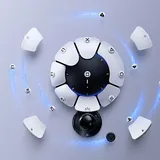
For each game, note its platform, whether PS VR2 is required or optional, its supported play style, and which controllers it uses. Then check whether the edition you already own provides the needed version or requires another purchase.
Gran Turismo 7 is one example of an optional PS VR2 experience on the PS5 version, as shown on its official product page. Our GT7 beginner guide can help you decide whether the driving itself appeals to you before making VR hardware part of the budget.
Prefer a shortlist you would play soon over a long catalog you merely recognize. If only one title interests you, that is useful information for judging the total cost of the headset, software, and any accessories you actually need.
Treat PC use as a separate setup
Sony offers a PC adapter route with its own computer, connection, and software requirements. Do not assume that a headset connected to PS5 proves your computer is ready, or that the same feature set is available on both platforms.
If PC use is part of the purchase decision, check the current official requirements against your actual hardware. Keep PlayStation and PC game entitlements separate when calculating the budget. A game owned in one store should not be counted as available in another unless its publisher explicitly provides that entitlement.
Plan the first session around setup
Allow time to fit the headset, complete the guided setup, and learn the controls. Follow Sony's instructions on breaks and stop if you feel discomfort. Do not make the first session a test of how long you can continue.
Check the exact contents of a new or used package, including the headset and required controllers. For used hardware, verify condition and included parts before committing. A clear game shortlist, a suitable space, and a complete package are stronger reasons to buy than speculation about what a future headset might offer.
Sources
Official documentation and publisher information checked on 26 October 2026. Availability and features can vary by country, game, and system version.